
Viewing and downloading examination paperwork can be done via the registered customers ExamTrack account 2 weeks prior to the event taking place.
1. Log in to your ExamTrack customer account: https://lamda.examtrack.co.uk/
2. Select My Bookings from the menu.
3. Scroll down to My Upcoming Bookings.
4. Any Public Centre event where documents are ready will display “Documents available” next to the booking.

5. Click the Actions button for the relevant event. You will then see two options:
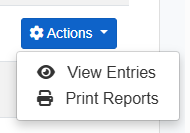
- Print Reports
Choose this option if you would like to download and print:- All exam paperwork (e.g. candidate lists, Learner Entry Reports (LERs), invoices)
- The candidate list only.
- View Entries
Choose this option if you would like to view or download your Learner Reports individually.